How do I make a purchase on the PNP website?
Here's how to buy on portablenorthpole.com:
- Log in (top right). Your purchase is linked to your PNP account.
- Choose what you want:
- For everything at once, click Premium in the top menu and choose a Magic Pass. Magic Pass holders can also add credit packs there.
- For a single item, open a video or call in the Videos or Calls section and click Get video (or the equivalent button) to see the options, including buying just that one.
- Click the price. The cart opens with the total. You can click Enter promo code if you have one.
- Choose your payment method (card, PayPal, Google Pay or Apple Pay) and confirm.
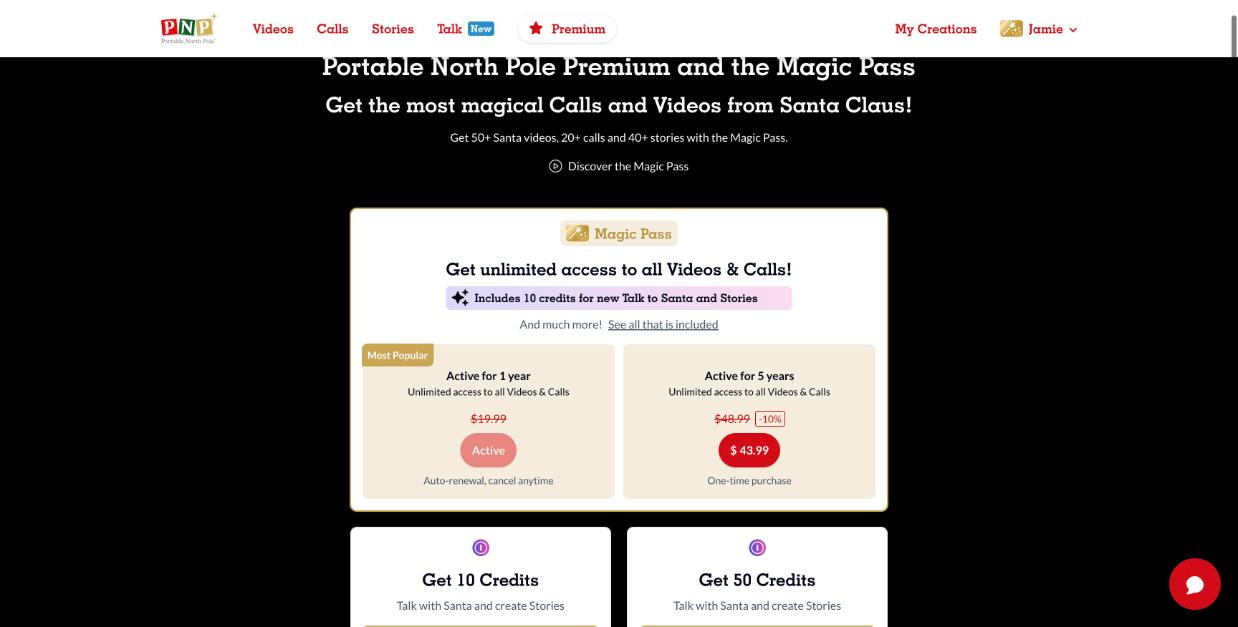
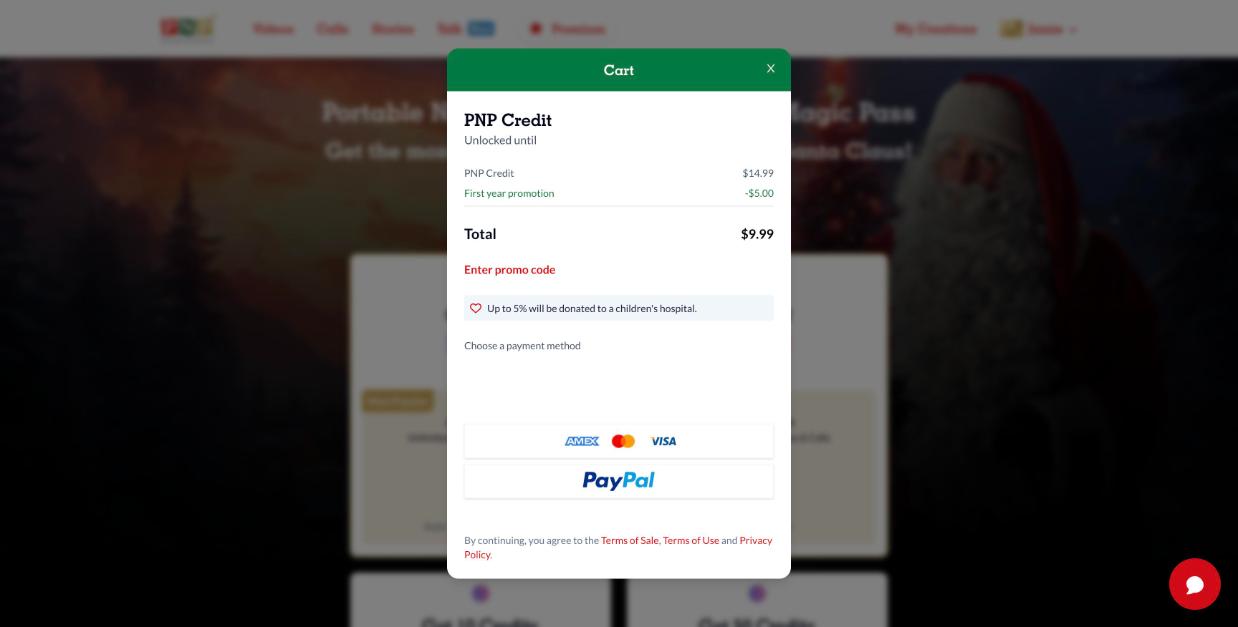
That's it! Your purchase is active right away. You'll receive a confirmation email, and you can see the order anytime in Billing history (menu under your name). PNP products are digital, so there is no shipping step.
Still need help? Our elves are happy to help: contact our elves using our support request form.